What is SAP SD (Sales and Distribution)?
SAP SD is the Sales and Distribution module of SAP ERP. It handles all customer-facing business processes — from receiving a customer inquiry to delivering goods and issuing an invoice. SAP SD is tightly integrated with SAP MM (for stock checks) and SAP FI (for accounting entries).
The Order-to-Cash (O2C) Process
The core SAP SD workflow is the Order-to-Cash cycle:
- Customer Inquiry — Customer asks about a product/service (T-code: VA11)
- Quotation — Sales team sends a formal price offer (T-code: VA21)
- Sales Order — Customer confirms the order (T-code: VA01)
- Outbound Delivery — Warehouse picks and packs the goods (T-code: VL01N)
- Post Goods Issue (PGI) — Stock is reduced when goods leave warehouse (T-code: VL02N)
- Billing Document — Invoice created and sent to customer (T-code: VF01)
- Payment — Customer pays and finance posts the clearing entry (T-code: F-28)
Creating a Customer Master in SAP SD
The Customer Master stores all information SAP needs to process sales orders, deliveries, and invoices. Follow the steps below to create a customer in SAP SD.
Step 1 — Open the Customer Creation Transaction
Navigate via the SAP menu path:
Logistics ▶ Sales and Distribution ▶ Master Data ▶ Business Partner ▶ Customer ▶ Create ▶ Complete
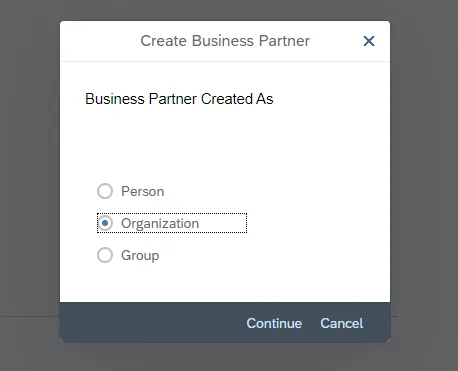
Alternatively, enter T-code XD01 directly in the command field and press Enter.
Step 2 — General Data Tab
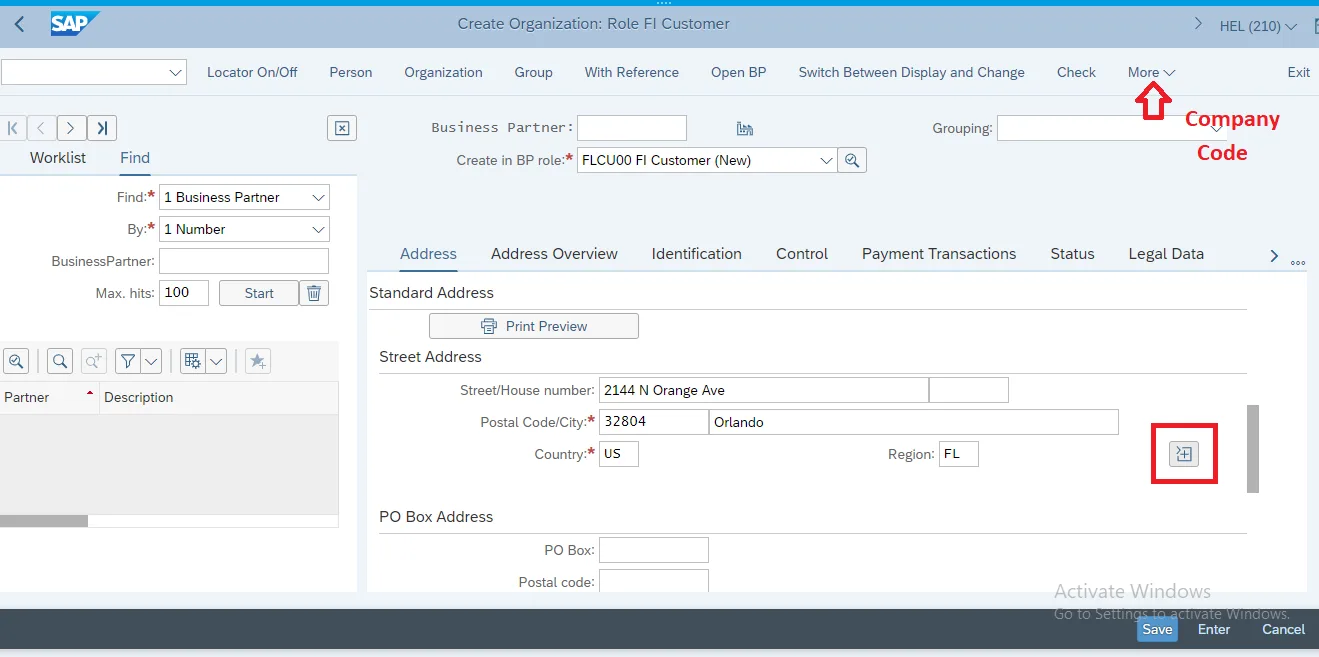
Fill in the general customer information (name, address, language, country). Then click on More >> Company Code to proceed to account management settings.
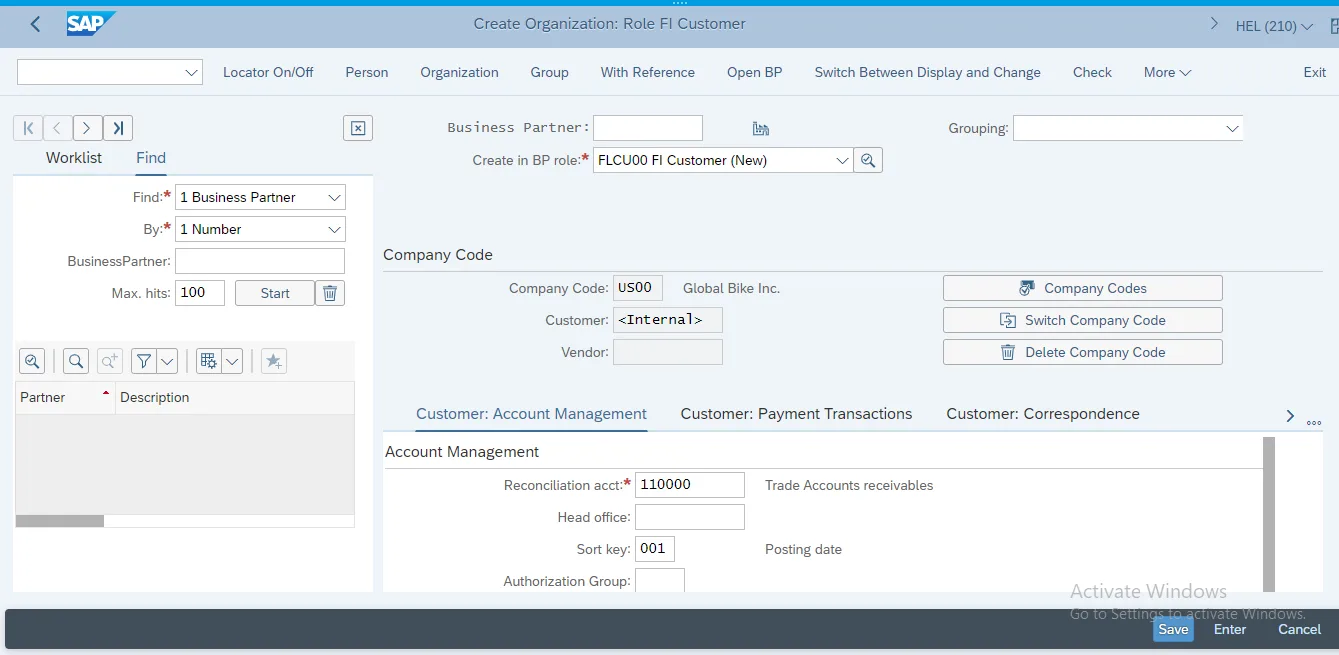
Step 3 — Company Code Data (Account Management)
Enter the reconciliation account and payment terms for the customer at company code level:
- Reconciliation Account: 140000 (Trade Receivables)
- Sort Key: 001
Scroll down to Payment Transactions tab and set:
Payment terms: 0001. Confirm with Enter
Step 4 — Create Customer via BP Role
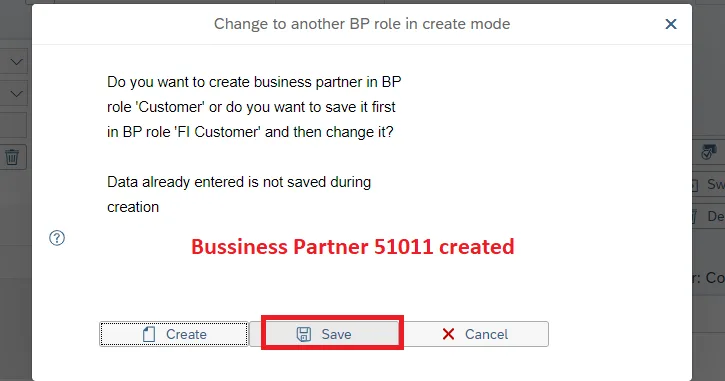
In the BP (Business Partner) transaction, select the customer account group. In the drop-down menu behind Create in BP role, choose Customer. In the pop-up screen click on Save
Step 5 — Sales Area Data (Sales Tab)
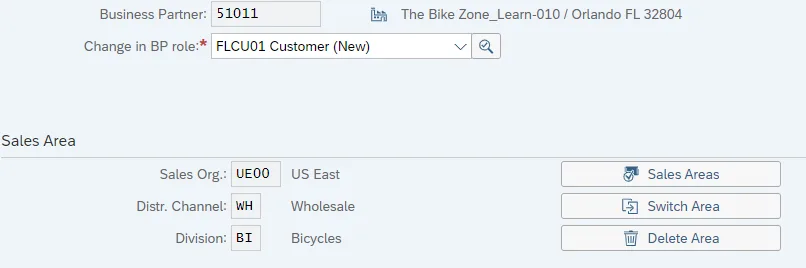
Assign the customer to a Sales Area by entering the following values and confirming with Enter:
Sales Org:      UE00
Distr.Channel:  WH
Division:       BI  — Confirm with Enter
Step 6 — Shipping Tab
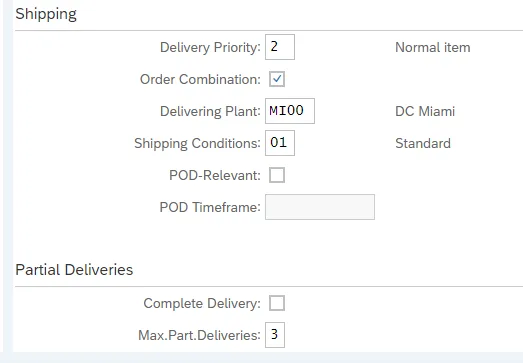
Fill in the shipping settings for this customer under the Sales Area > Shipping tab:
Delivery Priority:    02
Shipping Conditions:  01
Delivering Plant:     MI00
Max.Part.Deliveries:  3
Step 7 — Billing Tab
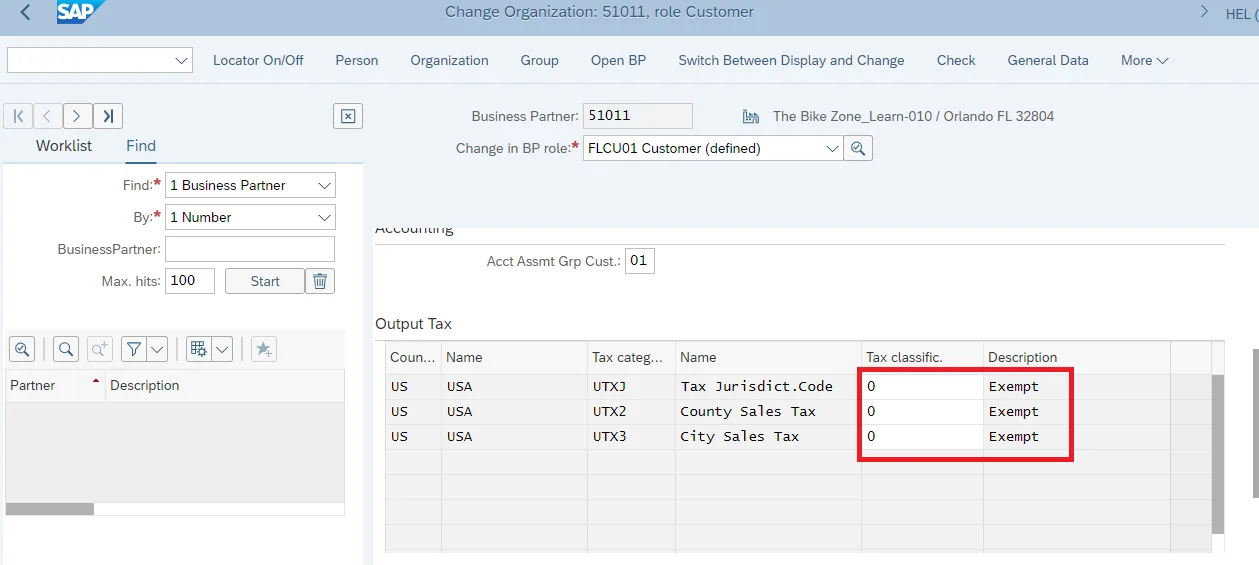
Under the Billing tab, configure tax and payment settings for the customer:
All three Tax classific:  0  — Confirm with Enter
Payment Terms:            0001  — Confirm with Enter
Finally, click Save (Ctrl+S). SAP will confirm with a message: Customer XXXXXXXX has been created. Your customer master is now ready to be used in sales orders.
Key Master Data in SAP SD
- Customer Master: Customer information — address, payment terms, credit limit (T-codes: XD01 Create, XD02 Change)
- Material Master (Sales View): Product sales data — delivering plant, sales unit, tax category
- Pricing Conditions: Price, discounts, taxes, freight — maintained via condition tables (T-code: VK11)
- Customer-Material Info Record: Customer-specific material descriptions (T-code: VD51)
SAP Fiori in SAP SD
In SAP S/4HANA, most SAP SD transactions are available as Fiori apps. The Fiori interface replaces old SAP GUI screens with browser-based responsive apps. Key Fiori apps for SD:
- Create Sales Order (F0842A)
- Sales Order Fulfillment Monitor
- Billing Document List (F0797)
- Customer 360° View
Career Prospects for SAP SD Consultants
SAP SD consultants are among the most sought-after SAP professionals. The Order-to-Cash process is core to every business that sells products or services. Entry-level SAP SD freshers earn ₹4–6 LPA. Experienced consultants with S/4HANA Fiori knowledge command ₹15–25 LPA.
Start for free with our comprehensive SAP SD with Fiori Course →